

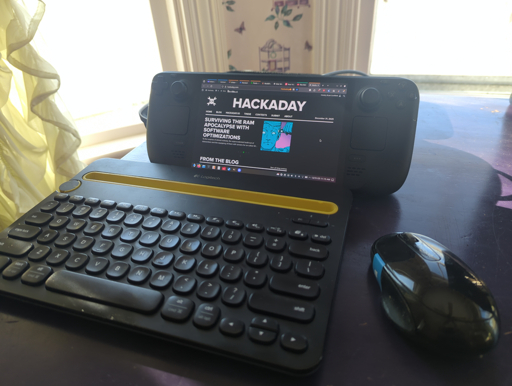
The line between a Linux user and a Linux power user is a bit gray, and a bit wide. Most people who install Linux already have more computer literacy than average, and the platform has long encouraged experimentation and construction in a way macOS and Windows generally aren’t designed for. Traditional Linux distributions often ask more of their users as well, requiring at least a passing familiarity with the terminal and the operating system’s internals especially once something inevitably breaks.
In recent years, however, a different design philosophy has been gaining ground. Immutable Linux distributions like Fedora Silverblue, openSUSE MicroOS, and NixOS dramatically reduce the chances an installation behaves erratically by making direct changes to the underlying system either impossible or irrelevant.
SteamOS fits squarely into this category as well. While it’s best known for its console-like gaming mode it also includes a fully featured Linux desktop, which is a major part of its appeal and the reason I bought a Steam Deck in the first place. For someone coming from Windows or macOS, this desktop provides a familiar, fully functional environment: web browsing, media playback, and other basic tools all work out of the box.
As a Linux power user encountering an immutable desktop for the first time, though, that desktop mode wasn’t quite what I expected. It handles these everyday tasks exceptionally well, but performing the home sysadmin chores that are second nature to me on a Debian system takes a very different mindset and a bit of effort.
Love my deck. One thing I haven’t figures out is getting a gcc compiler. I would like to get pyenv working. Tried brew a while back. Couldn’t get it working. Kind of got side tracked gaming. Need to give it another shot.
You sound like me lol: Side tracked by the device’s primary purpose.
SteamOS ships both podman and distrobox.
distrobox create --image registry.opensuse.org/opensuse/leap:16.0 --name opensuseto install openSUSE, for example, thendistrobox enter opensuseto use it. If you like rolling releases, install and then executeopensuse-migration-toolto upgrade to Tumbleweed or Slowroll.Ill have to check out podman and look into distrobox.It’s defiantly an option. Never used distrobox pr podman before. So used to the power of Arch, never even had to think about the software I want to use not being able to be installed in five years.
You can install an Arch image as well. Distrobox should work fine with these OCI images: https://github.com/archlinux/archlinux-docker?tab=readme-ov-file#arch-linux-oci-images
Aside from preinstalled Distrobox, Nixpkgs with nix-shell is also a very convenient source of almost anything software on SteamOS, especially in they’re CLI tools. The Determinate Systems installer also has a Deck specific installation profile.