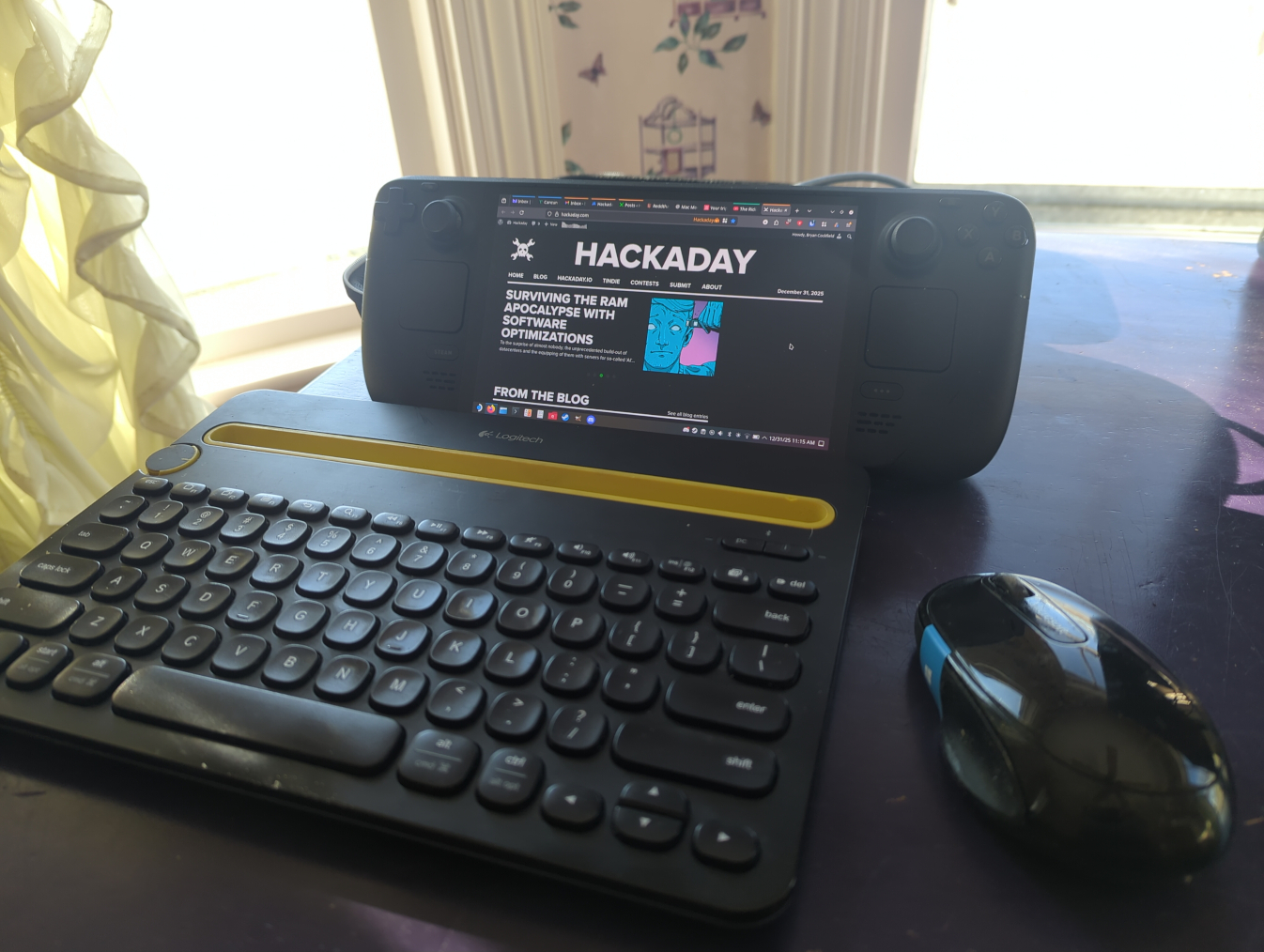
The line between a Linux user and a Linux power user is a bit gray, and a bit wide. Most people who install Linux already have more computer literacy than average, and the platform has long encouraged experimentation and construction in a way macOS and Windows generally aren’t designed for. Traditional Linux distributions often ask more of their users as well, requiring at least a passing familiarity with the terminal and the operating system’s internals especially once something inevitably breaks.
In recent years, however, a different design philosophy has been gaining ground. Immutable Linux distributions like Fedora Silverblue, openSUSE MicroOS, and NixOS dramatically reduce the chances an installation behaves erratically by making direct changes to the underlying system either impossible or irrelevant.
SteamOS fits squarely into this category as well. While it’s best known for its console-like gaming mode it also includes a fully featured Linux desktop, which is a major part of its appeal and the reason I bought a Steam Deck in the first place. For someone coming from Windows or macOS, this desktop provides a familiar, fully functional environment: web browsing, media playback, and other basic tools all work out of the box.
As a Linux power user encountering an immutable desktop for the first time, though, that desktop mode wasn’t quite what I expected. It handles these everyday tasks exceptionally well, but performing the home sysadmin chores that are second nature to me on a Debian system takes a very different mindset and a bit of effort.
Great article. I’ve used my Steam Deck as a very capable desktop PC. I do about 85% of my work on an iPad I take around with me, but whenever I bump into more friction than I’d like with it, I just pop over to Desktop mode on my Steam Deck.
Flatpaks seem the future for Linux as they simply abstract away the dependency hell that can get less knowledgeable users in big trouble. Having used macOS/OS X for many years, user agents as an alternative to system daemons are familiar to me, but I didn’t realize that SteamOS supported them; good to know!
I think that immutable operating systems are going to become more and more popular purely for the various security benefits that can come with them. Hopefully we continue to see the tools adapt to let us do more and more in user-space so we can get the benefits with few drawbacks.
Time for my intermittent “I’ve been using a stock Steam Deck as my main and only PC for work and play for three years” humble-not-quite-brag :D
With Distribox and Nixpkgs, I’ve never felt a need to turn off immutability. But it’s nice to know Bazzite or Cachy exists should I need something more.
Bazzite’s immutable too though. 😉
But with a lot more batteries included!
The Steam Deck is a worthy opponent to most SFF PCs in price and specs, specially with SteamOS.
Can’t wait for full-fledged Steam OS for general PCs.
Whats wrong with https://bazzite.gg/ it even has dev-mode switch so you run docker and other dev apps
Last I checked, bazzite’s installer is using the broken version of the timezone list that doesn’t even include west coast timezones, nor do they provide a way of manually specifying the timezone, which tells me their attention to detail isn’t great.
Also, having 10 different iso’s with differences that an entry level user has no real need to care about, instead of including it in a bundled installer doesn’t help either.
Not to mention having 8 fully different program installation repos, with 8 different front ends, and an explanation of ‘try installing your program in each of these in the following order, and use the version that works best’, flatpacks being at the top of the list, recommending using an entire VM in the form of distrobox over using appimages, and just in general needing a flowchart to explain how to install things.
These, and other reasons, are why I cannot in good consciousness, recommend bazzite to non-power users, and get annoyed seeing people do so all the time.
You’re not really selling it. Fucking up my gaming system with Docker bloat is that last thing I’d want.
Thats the point really, just having the ability to do something doesn’t mean you have to.
But when you do need to, you can.
No, nobody ever needs Docker.
Well, no one ever needs computers either.
Also SteamOS runs Docker containers out of the box just fine because it ships podman.
What do you expect it would do that other mainstream distributions don’t?
Support the vast majority of titles with minimal friction right out of the box.
I don’t want to have do dick around and tweak shit when I want to relax with a video game; I’ve got plenty of other Linux boxes for tinkering. I want to be able to slap an OS on a PC and have it be Steam Deck But Bigger.
These days you can do that on fucking arch (from the point of “have a usable DE with internet access” onwards ofc, which is the point most distros get you out of the box). Install steam, check the setting to show windows games with proton, and it just works. At most need GEProton sometimes but I doubt that’s different on SteamOS.
No doubt SteamOS is the most optimized for that experience but there really isn’t a lot of friction for gaming on steam in general these days.
You just described Bazzite. You can literally install the KDE version, same as you’d find on a Deck, and get right to gaming. No tinkering required. Steam is installed by default, Bluetooth works as expected, USB controllers work when plugged in.
The only time you might “tinker” with gaming is when you want to install, say, an emulator or Heroic from the Discovery store (flatpak) to play your non-Steam games, all of which is optional.
SteamOS isn’t going to offer significant benefit, except it might get Valve-specific fixes before they upstream the patches. If you’re waiting around, expecting SteamOS to be some shift in the distro landscape, I think you’re going to be disappointed.
The only time you might “tinker” with gaming is when you want to install, say, an emulator or Heroic from the Discover
ystore (flatpak) to play your non-Steam games, all of which is optional.Playing games from outside Steam is less tinkering in Bazzite than SteamOS because Bazzite supports those out of the box. I don’t have a Bazzite install in front of me right now but IIRC it comes with Lutris preinstalled. On SteamOS that’s an additional installation step.
It’s been a hot minute since I installed Bazzite, but it might even come with Heroic preinstalled. I think it did come with Lutris by default, as you say.
Can confirm, ships with Lutris.
Bazzite steam mode is functionally identical to steam os, and in my experience I haven’t had to fuck around with any game. Got Spiderman, GTA 5 and Cyberpunk working (as well as they can considering the hardware) working by just downloading them.
Its pretty much steam os but based on fedora immutable. I like it a lot, especially in desktop mode where the KDE version is more current.
I haven’t had to fuck around with any game.
Noodle probably only knows Linux from fiddle distros and now thinks that SteamOS is the only one that works out of the box which is just not true. There are plenty of mainstream options like Bazzite.
Very true, and tbh i havent bothered to attempt gaming on anything other than the steam deck.
tbh i havent bothered to attempt gaming on anything other than the steam deck.
At worst you need to install Steam on other distributions and then compatibility is no different than on SteamOS (on equal hardware, of course) because Steam runs its games inside standardized containers since some time.
Thats really encouraging and with the Steam VR headset betting on flatpak as one of its main avenues actually super exciting considering its an arm box.
I’ve been a Linux hacker for a quarter of a century.
Support the vast majority of titles with minimal friction right out of the box.
Games run via Steam Linux Runtime which is the same across all Linux installations of Steam.
I don’t want to have do dick around and tweak shit when I want to relax with a video game
If you need to “tweak shit”, you have not fully compatible hardware (NVidia or so), something SteamOS won’t solve because it’s just a regular Linux distribution.
I want to be able to slap an OS on a PC and have it be Steam Deck But Bigger.
You already can. The SteamOS recovery image is explicitly for other systems as well since quite some time. People use it on the Framework Desktop, for example, even though the devices list does not feature that PC.
Don’t expect ever formal support for any hardware where Valve cannot control the drivers. They’ve been fucked by proprietary platform holders in the past, they don’t want to repeat this again. So either your hardware is fully supported by upstream kernel/Mesa drivers (which SteamOS already ships because it’s just another Linux distribution with absolutely not magic dust) or SteamOS will likely never work on those.
Love my deck. One thing I haven’t figures out is getting a gcc compiler. I would like to get pyenv working. Tried brew a while back. Couldn’t get it working. Kind of got side tracked gaming. Need to give it another shot.
Aside from preinstalled Distrobox, Nixpkgs with nix-shell is also a very convenient source of almost anything software on SteamOS, especially in they’re CLI tools. The Determinate Systems installer also has a Deck specific installation profile.
SteamOS ships both podman and distrobox.
distrobox create --image registry.opensuse.org/opensuse/leap:16.0 --name opensuseto install openSUSE, for example, thendistrobox enter opensuseto use it. If you like rolling releases, install and then executeopensuse-migration-toolto upgrade to Tumbleweed or Slowroll.Ill have to check out podman and look into distrobox.It’s defiantly an option. Never used distrobox pr podman before. So used to the power of Arch, never even had to think about the software I want to use not being able to be installed in five years.
You can install an Arch image as well. Distrobox should work fine with these OCI images: https://github.com/archlinux/archlinux-docker?tab=readme-ov-file#arch-linux-oci-images
Love my deck … Kind of got side tracked gaming
You sound like me lol: Side tracked by the device’s primary purpose.
I “just” slapped OpenSUSE Tumbleweed on mine. Much easier that way to customise everything.
I just use openSUSE in a Distrobox container on mine. Installation has a needless pitfall because for whatever reason installing TW directly is broken but installing Leap and then using opensuse-migration-tool works fine.
I’m using this container to evaluate Slowroll.
I (very briefly, to be honest) toyed with using my Steam Deck as my main computer a few years ago, and I remember
sudo steamos-readonly disablemade it behave a lot more like a regular Arch desktop.CachyOS has a handheld option, too. You can slap that on there to get a more typical Arch experience, or install Bazzite to keep the benefit of an immutable system but without the A/B system partitioning.